Privacy Policy
How FORCE handles your data
Your records stay on your iPhone. This map shows everything that leaves it, and what comes back when you set up a new iPhone.
 FORCE on your iPhone
This iPhone
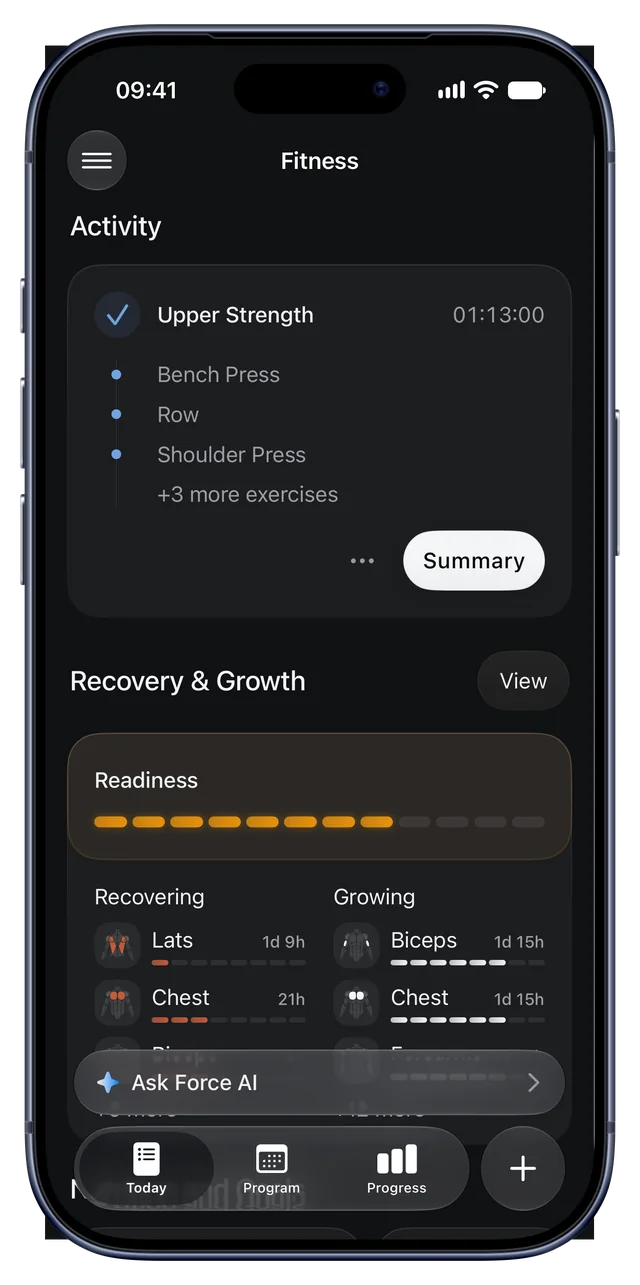
FORCE keeps your profile, workouts, programs, progress, meals, body measurements, photos you add, saved gyms, settings and AI chats on your iPhone. It encrypts them with keys that stay on your iPhone.
FORCE leaves these records out of iPhone and Apple Watch device backups. An encrypted copy stays in this iPhone’s keychain, so they come back when you delete FORCE and install it again. That copy never leaves this iPhone. Your iCloud training backup and your own exports are separate.
Apple Health
You choose each type on the Health app’s permission screen. FORCE never sends your Health data to our server, to iCloud or to other companies.
FORCE reads
- Workouts from other apps
- Strength, running, walking, hiking, cycling, rowing, elliptical, stairs, swimming, HIIT, mixed cardio, jump rope and cross-country skiing, with their energy and distance
- Body
- Weight, height and body fat
- Heart
- Heart rate, resting heart rate, heart rate variability and VO2 max
- Recovery signals
- Respiratory rate, blood oxygen, body temperature and sleeping wrist temperature
- Sleep
- Sleep time and sleep stages
- Activity
- Steps and active energy
- Nutrition
- Energy, protein, carbs and fat
FORCE writes
- Workouts you log in FORCE
- Strength and cardio sessions, with their active energy
- Body
- Weight and body fat you log
- Sleep
- Sleep you log
FORCE copies all your workouts from other apps and your weight readings into FORCE, and your height when your profile has none. It reads the rest only when a screen shows it.
Your private iCloud
Your iPhone encrypts each backup before upload. The key syncs through your iCloud Keychain. We never receive the backup or the key.
In the backup
- Workouts you log in FORCE
- Programs and templates
- Your exercises
- Deloads
- Training settings in your profile
Never in the backup
- Anything from the Health app, including workouts from other apps
- Weight, body measurements and sleep
- Meals and meal photos
- Cardio sessions
- Apple Watch recordings
- AI chats
Off in Türkiye. Delete the backup in your iPhone’s iCloud settings.
FORCE server
We store no account, workout, meal, body or health record on a server. Only these small records leave the app. Each goes through Cloudflare to Frankfurt, Germany: error reports to Sentry, the rest to our server.
- Which screens you openOnly with Share app usage on
- We store a keyed hash of a random install code, not the code itself. No values, no profile and no IP address.
- Error reportsCrashes and app hangs
- Sent through our own address, so Sentry never sees your IP address. No error text, and a random code that changes every day.
- Apple Watch set motionOnly if you agree
- No name, device, workout, weight, location, date or time of day. Each set gets a random file name, and the server keeps no IP address.
- Food barcodesOnly barcodes the app does not know
- Only the barcode number. The server does not store it, and keeps your IP address for at most 1 hour to limit requests.
- Why you ended a free trialOnly if you answer
- Only the reason, the trial day, the plan and the app version. No name, account, device or purchase ID.
- Feedback you sendOnly when you send it
- Your message, the app version and language, and your email only if you add it. We remove card, IBAN and ID numbers and delete feedback after 90 days.
- Subscription events from AppleTrials, purchases, renewals, refunds
- We replace Apple’s transaction ID with a one-way code. No name, email, Apple ID or payment details.
In Türkiye and the UK, the app sends none of these. Apple’s subscription events reach us only as daily counts. RevenueCat and, in the US if you agree, Meta receive data directly from the app. The full policy below explains both.
On a new iPhone
Workouts you logged in FORCE, programs, templates, your exercises, deloads and training settings
Sleep you logged in FORCE, all your workouts from other apps, and your weight readings from other apps and devices, if you allow access again
Weight and cardio you logged in FORCE. They stay in the Health app, but FORCE does not read these entries back yet. Meals, meal photos, body measurements and AI chats also stay behind. Use Export data in FORCE to keep a copy.
If something changes
- You turn off Apple Health access
- Logging in FORCE keeps working, and your FORCE workouts stay in your backup. FORCE stops reading workouts from other apps, heart, sleep and recovery signals, so recovery uses only your training. New workouts no longer go to the Health app.
- You lose your iCloud backup
- Your records stay on this iPhone. On a new iPhone, your FORCE workouts and programs do not come back, unless you saved a file with Export data. Workouts from other apps come back from the Health app.
- You delete FORCE
- Your FORCE records and settings stay in an encrypted copy in this iPhone’s keychain. When you install FORCE again, it continues where you left off. This needs an iPhone passcode. Apple Health records (sleep, weight, body fat, cardio and heart rate), meal photos, AI chat photos and Watch recordings are not in that copy. Your Health data stays in the Health app, and FORCE reads it again with your existing Health access. Your iCloud backup stays until you delete it in iCloud settings. Delete all data deletes the copy too.
Full privacy policy
Who we are
FORCE is a strength training app run by IRFAN EMRE UTKAN in Türkiye (“we”, “us”). This policy covers FORCE on iPhone, Apple Watch, forceworkout.com and forceapi.ieugroup.uk.
Questions or requests: [email protected].
Business address: 1789 Sokak No:5 Daire:9, Bostanlı Mahallesi, Karşıyaka, 35590 İzmir, Türkiye.
The short version
FORCE keeps your records on your device. Outside Türkiye, it also backs up training data to your own iCloud. FORCE has no account server, and we store none of these records.
If you choose, your Apple Watch shares anonymous set motion to improve exercise detection.
With FORCE Plus, or with bought AI credits after Plus ends, if you are 18 or older and agree, meal photos, typed meals and AI chat messages go through our server to OpenAI for an answer. Our server stores none of their content. See “Cloud AI with OpenAI”.
We do not sell your information or show ads. In the United States, if you agree, FORCE tells Meta that you installed and opened FORCE, so we can see which Meta ads bring people to FORCE. FORCE never collects your advertising ID.
FORCE in Türkiye
FORCE blocks Sentry, RevenueCat, Meta ad installs, cloud AI chat, cloud meal photos, online barcode lookup, shared Watch uploads, trial reports and app usage records for the Türkiye and United Kingdom storefronts. It also disables iCloud training backup in Türkiye. These app restrictions do not cover website visits, support email or Apple’s purchase processing and subscription notifications. The restrictions use App Store country, not citizenship or residence. An iPhone in Türkiye’s time zone gets the Türkiye restrictions with any App Store country.
Cloud AI chat, cloud meal photos, the online barcode search, error reports and saved gyms are not available in Türkiye. In the United Kingdom, cloud AI chat, cloud meal photos, the online barcode search and error reports are not available. AI runs only on Apple’s on-device model.
We do not store, process or see your app records. To delete all of them, open FORCE settings and tap Delete account and data under Account actions.
Apple handles purchases, age checks and its own crash sharing under its own privacy policy. Apple sends us the subscription events described below. We also receive information when you email support or visit these web pages.
In Türkiye, email support at [email protected]. Mail to this address is stored in Türkiye.
Error reports
On iPhone, FORCE uses Sentry to report crashes, app hangs and failed operations. We use these reports to fix faults.
FORCE blocks Sentry when your current App Store country is Türkiye or the United Kingdom, or cannot be determined, and when your iPhone is in Türkiye’s time zone. We use the store country and the time zone, not your language, GPS location or profile country.
Reports contain the app version and build, the time, the type of fault and where it happened in the code. They also contain the iPhone model, iOS version, rounded memory figures and the last FORCE screens you opened.
We do not send the text of fault messages. Reports keep the fault type and technical stack details. Each report has a random code that changes every day. This code links reports from one phone within that day.
If you turn on “Share app usage”, reports also count app sessions, so we can see how often FORCE crashes and how many phones use each version. Reports keep up to 100 recent screens instead of 30. They use one random install code that stays the same across days, instead of a daily code. In the US, Australia, New Zealand, Japan and Singapore this is on until you turn it off in Settings. Everywhere else it stays off until you agree. Outside these countries, this relies on your consent. Turning it off deletes the install code. Error reports without these details continue.
With “Share app usage” on, FORCE also sends our own server short records of how you use the app: when it opens, which main screens you open and for how long, which setup steps you reach, and the subscription steps: which plan you pick and whether a purchase or a restore starts, finishes, is cancelled or fails. Paywall records name the locked feature that opened the plans, such as the daily coach. If you agreed on a screen that names them, records also say when you start, finish or delete a workout and when you log a food or a meal, never what you lifted or ate or how much. These workout and food records need that agreement in every country, also where “Share app usage” is on until you turn it off. Setup records name the step, never your answers, with one exception: if you answer the optional question about where you heard of FORCE, we record that one answer. Other screens, such as sleep, heart, recovery or body measurements, are sent only as “nutrition”, “body” or “other”. Each record has the app build number, your App Store country, the time and the install code. Our server stores a keyed hash of that code, not the code itself. Records contain no workout, health, nutrition or body values, no profile and no IP address. We use them to see which features people use and how many people come back. We keep them on our server in Frankfurt for 400 days. We also send a copy of these records, except workout and food records, to PostHog, our analytics service, which stores them in its EU region in Frankfurt. The copy carries a separate hashed install code, no IP address and no location, and PostHog builds no profile of you. Turning it off deletes the install code and the records that wait on your iPhone. Records already sent stay on our server under the old code until they expire. New records get a new code, so they cannot be joined to the old ones.
Reports exclude your profile, health and training records, messages, photos, account details and device identifiers.
Reports go through Cloudflare to Sentry, which stores them in Frankfurt, Germany. Cloudflare sees your IP address during the upload. Its security records are described under “Connection records”. Sentry receives Cloudflare’s address, not yours. Some account and organization information can be processed outside the EU.
We use diagnostics to maintain a reliable app, not for advertising, tracking or user profiles. We keep reports only as needed to investigate faults, within the project’s retention limits.
Apple controls its own crash sharing through separate settings and rules.
Improving exercise detection
If you agree in the app, your Apple Watch shares the motion of your sets to improve exercise detection: sets it detects, and sets it misses that you log on the Watch. Each set is sent on its own after you confirm, correct, reject or log it. The upload relies on your consent.
A shared set holds the Watch’s motion during the set, or up to 90 seconds before you log a missed set (rotation, attitude, acceleration and gravity, 50 times a second), the time of each rep counted from the start of that set, what the Watch detected, and what you confirmed: the exercise, reps, reps in reserve and whether it was a warm-up. It also holds your wrist side and the app build. It holds no name, account, device or workout ID, and no weight, location, heart rate, date or time of day.
The set goes through Cloudflare to our server at Oracle Cloud in Frankfurt, Germany. Cloudflare and our server see your IP address during the upload. Our server does not store the IP address or a request record for this upload. Each set is stored separately without a person or workout identifier. Cloudflare keeps separate security records, described under “Connection records”.
Because we cannot tell who sent a set, we cannot find, show or delete it later. Turning sharing off in Settings stops new uploads and deletes sets still waiting on your iPhone. We use shared sets only to train and test FORCE’s exercise detection. We keep them while FORCE offers exercise detection, because each new model trains on all of them. After the day of the upload, our server keeps no upload time for a set. A set that cannot upload is deleted from your iPhone after 30 days. We do not sell them or use them for advertising.
If you choose Not now, FORCE asks once more after a later Watch workout.
Sharing is not offered when your App Store country is Türkiye or the United Kingdom, or cannot be determined.
What stays on your device
FORCE stores your profile (such as name, age, sex, height, weight and goals), workouts, programs, progress, meals, body measurements, photos you add, saved gyms, settings and AI chats on your device.
The app builds programs, suggestions and progress views on your device. iPhone and Apple Watch exchange workout records directly with each other.
The app encrypts its main record stores with keys kept on your device.
FORCE leaves its record stores, photos, saved gyms, Watch recordings and waiting uploads out of iPhone and Apple Watch device backups. An iCloud or computer backup of your device can still hold FORCE settings, an unfinished cardio session and Watch commands that wait to sync. The iCloud training backup below and manual export are separate from device backups.
FORCE also keeps an encrypted copy of your FORCE records and settings in this iPhone’s keychain. iOS keeps this copy when you delete the app, so your workouts, programs, meals, weigh-ins, body measurements, cardio sessions, chats and settings are still there when you install FORCE again on the same iPhone. The copy never leaves this iPhone: it does not sync to iCloud Keychain and is not part of iCloud or computer backups. It needs an iPhone passcode, and removing the passcode deletes it. It leaves out records that come from Apple Health (such as sleep, heart rate and data from other apps), meal photos, AI chat photos and Watch recordings. Your Apple Health records stay in the Health app, and FORCE reads them again with your existing Health access. Delete account and data deletes it.
Your iCloud training backup
Outside Türkiye, FORCE automatically backs up your training data to your own iCloud using Apple’s CloudKit private database. Backups include workouts, programs, templates, exercises, deloads and training profile settings.
Your iPhone encrypts each backup before upload. Its encryption key syncs through iCloud Keychain. FORCE receives neither the backup nor its key.
These backups exclude health records, meal photos, cardio sessions, Watch recordings and chats. Health records include body weight, body measurements, sleep, heart rate and nutrition.
After each new backup, FORCE keeps the 3 newest backups of the same records and deletes older ones. FORCE can restore the newest backup on an iPhone with no local FORCE records. Manual export and import remain available.
Delete account and data in FORCE settings also deletes these backups. If iCloud cannot be reached, FORCE deletes them the next time it can. You can also turn FORCE’s iCloud access off and delete its backups in your iCloud settings. Deleting only the app does not delete these backups. Apple handles iCloud under its own privacy policy.
iCloud backup is off when your App Store country is Türkiye or cannot be determined.
Apple Health
If you allow it, FORCE reads and writes data such as workouts, weight, heart rate, sleep, energy and nutrition in Apple Health. FORCE can write food and supplement names with their known calories and supported nutrients to Apple Health. FORCE can restore a logged food when you allow access to every nutrient saved with it. You choose each data type on the system permission screen.
This data stays on your device. We never use it for advertising, never sell it and never share it with third parties.
Manage Apple Health permissions in device settings. Changing permissions does not delete saved FORCE records. Use Delete account and data in FORCE Settings to delete those records. What FORCE saved in Apple Health stays there; you can delete it in the Health app.
AI
On supported iPhones, AI can use Apple’s on-device model. Your messages, attached photos, records and replies then stay on your device. “Cloud AI with OpenAI” describes the cloud features that you can turn on.
AI asks you before it changes a record. Turning AI off deletes its chats and keeps the records you confirmed.
Cloud AI with OpenAI
FORCE has two cloud AI features: food recognition for meal photos and typed meals, and AI chat. They are for FORCE Plus subscribers (monthly or yearly) who are 18 or older. One consent screen covers both features, and nothing is sent before you agree. Without your consent, offline or at a limit, Apple’s on-device model answers instead, and the app tells you. On an iPhone without Apple’s on-device model, the app tells you why, and you add the foods yourself. Your version of FORCE shows a feature only when it is available.
Meals: the app sends up to 4 photos of one meal and the words you type (up to 500 characters), or only your words, to our server. Our server makes each photo at most 1024 pixels on its longest side and removes the photo metadata, including location (EXIF and GPS). It then sends the photos, your words and the app language to OpenAI. OpenAI names the foods and amounts that it sees. FORCE takes calories and macros only from its own food database.
AI chat: the app sends your message, the last 4 lines of the chat, your training preferences (experience, training days, coaching style and equipment), a workout you select, and the records that the model asks to read. These are workout records (workouts, sets, programs, templates, exercises and personal records) and your FORCE food log (meals, foods, amounts, calories and macros). Our server adds FORCE’s fixed instructions and sends this to OpenAI. OpenAI returns the reply and any record change it proposes. AI asks you before it changes a record.
FORCE sends no Apple Health data to OpenAI: no body weight, body measurements, sleep, heart rate, cardio, energy burned or recovery. The app removes these fields, and our server refuses a chat request that contains them. Keep faces, other people and health details out of your photos, words and messages.
No request contains your name, email address, Apple ID, account, device ID or subscription ID. OpenAI receives our server’s IP address, not yours.
To check FORCE Plus and your bought AI credits, the app sends Apple’s signed record of your subscription to our server. After your subscription ends, the same record still proves your bought AI credits. Our server can ask Apple for the live status of that subscription with its original transaction ID. The app also proves with Apple App Attest that the request comes from FORCE on one of at most 3 devices for your subscription.
Our server does not store your photos, words, messages, records or replies. It keeps: a keyed code of your subscription with your photo and chat credit counts for the day, the month and a free trial, until 432 days after their last use; the token count and cost of each request, for 35 days; for each App Attest key, a keyed code of its key ID, its public key and a counter, until 30 days after its last use; Apple’s subscription status in a cache for up to 6 hours; and your IP address in a rate-limit cache for up to 1 hour. The server runs at Oracle Cloud in Frankfurt, Germany, behind Cloudflare.
OpenAI OpCo, LLC in the United States processes this data for us as our processor. OpenAI’s Data Processing Addendum names OpenAI Ireland Limited for data from the EEA and Switzerland. The processing takes place in the United States.
OpenAI does not use this data to train its models. Our server tells OpenAI not to store the request. OpenAI keeps abuse monitoring logs for up to 30 days. OpenAI checks images for child sexual abuse material and keeps a flagged image longer for manual review.
The transfer to the United States uses the EU Standard Contractual Clauses (Module Two) in OpenAI’s Data Processing Addendum, with the Swiss changes. OpenAI is not certified under the EU-US Data Privacy Framework. To get a copy of these clauses, email [email protected].
Our legal basis is your consent (GDPR Art. 6(1)(a)). If you put health details in a photo, your words or a message, your explicit consent also covers them (GDPR Art. 9(2)(a)).
You can withdraw consent at any time in Settings > Permissions. New photos and messages then stay on your iPhone. Withdrawal does not change requests that were sent before it. Data at OpenAI expires as described above.
Cloud AI is not offered when your App Store country is Türkiye or the United Kingdom, or cannot be determined. Our server also refuses these requests from Türkiye and the United Kingdom.
Cloud replies and photo results come from AI. They can be wrong. Check them before you rely on them.
Sign in with Apple and guest use
With Sign in with Apple or as a guest, your profile stays on your device. FORCE creates no account on a server.
If you share your name through Sign in with Apple, FORCE uses it only to fill in your name in the app.
Services from Apple
Apple processes purchases, subscriptions, age checks and parental approval under its own privacy policy. The app receives your paid-feature access and, where available, your age range. Apple separately sends the subscription events described below.
Maps load map images from Apple Maps, and speech input runs on your device. Device permissions control location, camera and microphone access.
The food barcode database is part of the app. Outside Türkiye and the United Kingdom, if a barcode is not in it, the app sends only that barcode to our server to search a larger food database. The request has no account or record. To limit requests, the server keeps your IP address in its rate-limit cache for up to 1 hour. It does not store the barcode or a request record, and Cloudflare processes your IP address in transit. In Türkiye and the United Kingdom, barcode lookups never leave your device.
If you allow it in your device settings, Apple can share crash reports and performance data with us. We use them only to fix problems.
Trial cancellation feedback
If you turn off renewal during a free trial, FORCE may ask why. Answering is optional. If you answer, we receive your selected reason, the trial day when you answered, the subscription product and the app build.
We keep these answers on our server in Frankfurt for 400 days. They contain no name, account ID, device ID, transaction ID, workout data or health data. Skipping the question sends no report.
Your voluntary answer gives us permission to use it to improve FORCE. We do not use it for advertising. Cloudflare processes your IP address in transit; our trial reports do not store it. This feedback is unavailable in Türkiye and the UK.
App Store subscription events
Apple sends us events about trials, purchases, renewals, cancellations, refunds and subscription expiry.
We keep the event type and dates, product, price, currency, App Store country, offer type and subscription expiry. We replace the original transaction ID with a one-way code to connect events from the same subscription.
For purchases from Türkiye and the United Kingdom, we keep only a daily count of each event type, with product, price and currency. We keep no one-way code, time of day or expiry date for them, and we email no summary.
We store no name, email address, Apple ID, payment details or app records with these events. We do not connect them to feedback, device records or other information that identifies you.
Apple sends events through Cloudflare to our server at Oracle Cloud in Frankfurt, Germany. We also email event summaries to the owner through Google Workspace.
We use these records to count trials, paid subscriptions, renewals and refunds. We keep each event for 432 days, because a yearly plan with a free trial can send its last event up to 432 days after it starts. After that, we keep only a daily count of each event type, with product, price, currency and App Store country. Our legal basis is our legitimate interest in understanding subscription performance. We do not use them for advertising or tracking.
AI credit purchases
When you buy AI credits, the app sends Apple's signed record of the purchase and of your Plus subscription to our server. We check both and add the credits to your subscription.
We keep a one-way code of the purchase's transaction ID, the amount, the purchase date and your credit balance, linked to the one-way code of your subscription. We store no name, email address, Apple ID or payment details. Apple also sends us refund events for these purchases.
If you ask Apple for a refund of AI credits, Apple asks us about the purchase. For purchases made in the app, we tell Apple that the credits were delivered, that Plus included AI credits before you bought them, and our refund preference. We send nothing else. Apple decides the refund. Our legal basis is our legitimate interest in protecting purchases of credits that were delivered at once (GDPR Art. 6(1)(f)).
We keep each purchase record for 432 days, the same time as subscription events, so that a refund removes the right credits. We keep your balance while it has credits left, because bought credits never expire. We delete an empty balance after 432 days without use. Our legal basis is the contract with you.
Subscription records in RevenueCat
Outside Türkiye and the United Kingdom, FORCE uses RevenueCat, Inc. in the United States to keep records of App Store trials, purchases, renewals, cancellations and refunds. Apple still handles every purchase and your access to paid features. RevenueCat only records them.
The app sends RevenueCat the signed App Store record of each FORCE subscription: product, price, currency, App Store country, offer type, dates and Apple’s transaction IDs. Our server also forwards Apple’s signed subscription notifications when the App Store country is known and outside Türkiye and the United Kingdom. RevenueCat then checks that subscription with Apple for renewals and refunds.
When the app connects, RevenueCat also receives a random customer ID that the app creates, the ID Apple gives FORCE for your device, the app version, your device model, iOS version and language, your App Tracking Transparency setting, and your IP address. It receives no name, email address, Apple ID, payment details or app records.
RevenueCat processes this data for us under a data processing agreement. It includes the EU Standard Contractual Clauses for transfers to the United States. To get a copy of these clauses, email [email protected].
We use these records to count trials, paid subscriptions, renewals and refunds. We keep them while we need them to compare subscription results. Our legal basis is our legitimate interest in understanding subscription performance. We do not use them for advertising or tracking.
FORCE never starts RevenueCat when your App Store country is Türkiye or the United Kingdom, or cannot be determined.
Ad installs in Meta (United States only)
When your App Store country is the United States and you agree on the data choices page, FORCE uses the Meta SDK from Meta Platforms, Inc. to tell Meta that you installed FORCE and each time you open it. This shows us which Meta ads bring people to FORCE.
The Meta SDK sends these install and app-open events with a random ID that the SDK creates, the app version, your device model, iOS version, language and time zone, and your IP address. FORCE turns off the advertising ID (IDFA) and automatic event logging. It sends no name, email address, workouts, health data or purchases.
Apple also tells Meta, through SKAdNetwork, when an install came from a Meta ad. Apple’s report contains nothing that identifies you.
Meta uses this data under its Business Tools Terms and its own privacy policy. Turn it off at any time in Settings with “Meta ad measurement”. FORCE then sends nothing more to Meta. FORCE never starts the Meta SDK when your App Store country is not the United States or cannot be determined.
When you email us
If you email support, we receive your message, email address and any attachments you choose. Google Workspace hosts [email protected] and can process that mail outside your country. Uzman Posta hosts [email protected], with mailbox storage and backups in Türkiye.
We use your email only to answer you. Our legal basis is our legitimate interest in answering your request and, where they apply, our legal duties. Our support-email retention target is 90 days.
Send only what your request needs. Do not send passwords or payment details.
Feedback in the app
Outside Türkiye and the United Kingdom, feedback you send in the app goes through Cloudflare to our server at Oracle Cloud in Frankfurt, Germany. It holds your message, the app build and the app language, and your email only if you add one. Cloudflare and our server see your IP address during the upload. Our feedback records do not store the IP address. Cloudflare keeps separate security records, described under “Connection records”.
Before we store a message, we try to remove card numbers, IBANs and ID numbers. Some formats can stay, so do not send them. The app sends no photos with feedback. We use feedback only to improve FORCE and, if you add your email, to answer you. We delete feedback after 90 days.
Your message can identify you or another person, even without an email address. To request deletion, write to [email protected] and describe the message so we can find it. Our legal basis for an email you add is your consent.
In Türkiye and the United Kingdom, the app opens your email app instead, and “When you email us” applies.
This website
The server for these pages runs on Oracle Cloud in Frankfurt, Germany. The current server does not create website access logs. The website uses no analytics, advertising or tracking scripts and sets no cookies. Cloudflare protects the connection and processes your IP address in transit. Its separate security records are described under “Connection records”.
Children
FORCE is not for children under 13. Higher local age limits and store parental controls also apply.
Cloud AI with OpenAI is only for people 18 or older.
Your choices and rights
You can view, correct, export and delete your records in the app. Delete account and data deletes your records on this iPhone, their encrypted copy in its keychain and FORCE’s iCloud training backups. Deleting only the app keeps that copy on this iPhone and those backups in your iCloud. Keep manual exports of records you need, including health records.
Deleting your data does not cancel a subscription. Manage subscriptions in the App Store.
Depending on where you live, laws such as the GDPR, Türkiye’s KVKK and US state privacy laws give you rights to access, correct, delete or export your information, to object to its use, to restrict or stop its use, and to withdraw consent. In Brazil, you can also ask us to confirm whether we process your information, to anonymize or block information we do not need, and to tell you which companies received it. We hold no copy of your app records. You can contact us about support messages and any personal information in technical records. Email [email protected] to use them.
You can complain to us first at [email protected]. We confirm receipt within 30 days. You can also complain to your data protection authority. In Türkiye, this is the Personal Data Protection Authority (KVKK).
When information we receive cannot identify you, we keep it in that form. We do not try to identify anyone from it, and we require every company that receives it from us to do the same.
Connection records
Cloudflare protects connections to our website and services. Its Security Analytics stores sampled requests, including IP addresses, request times, hostnames and paths, for up to 31 days. These records are separate from the information stored in feedback, error reports, trial reports, app usage records and shared Watch sets. The online barcode search, cloud meal photos and cloud AI chat also keep an IP address in a rate-limit cache for up to 1 hour.
Who controls retention
We set retention periods for records we store, including feedback and website access records. Provider services also have their own retention limits and available deletion controls.
Cloudflare sets the Security Analytics window described under “Connection records”. Our app and server deletion controls do not change that window. Provider retention limits do not replace our handling of applicable deletion requests.
OpenAI sets its abuse monitoring window and the longer review of flagged images. Our settings cannot shorten them.
Provider agreements
Sentry processes diagnostics under our accepted Data Processing Addendum, version 5.1.0. RevenueCat’s service terms incorporate its Data Processing Addendum.
Our Cloudflare subscription terms incorporate its Customer Data Processing Addendum. Our Google Workspace terms incorporate its Cloud Data Processing Addendum.
PostHog processes the copy of app usage records in its EU region under its Data Processing Agreement.
Our OpenAI API account is under the OpenAI Services Agreement. Its section 5.3 incorporates the OpenAI Data Processing Addendum (version v.010126) with the EU Standard Contractual Clauses.
Our Türkiye support mailbox uses an active Uzman Posta email service contract. Its published terms provide storage and backups in Türkiye.
These agreements cover their respective services. Their European transfer provisions do not by themselves establish completed Turkish transfer contracts or filing requirements.
Changes
We update this policy when FORCE changes how it handles information. The app shows important changes. The date at the top shows the current version.